ReShot : AI Photo Generator
- 3.8
- Rating
- 5.00M
- Installs
- Free
- Price
 Analysis by App-foxy
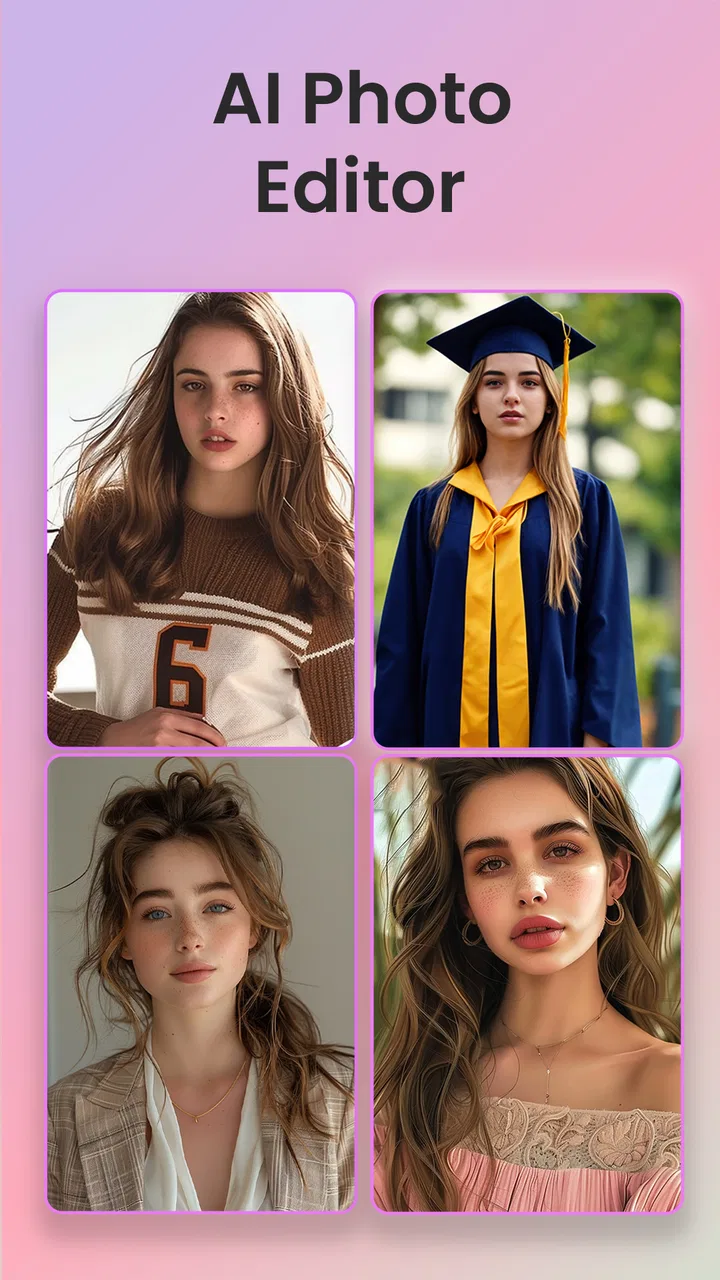
I found ReShot: AI Photo Generator interesting because it tries to make several popular portrait styles available from one Art & Design app instead of asking me to jump between separate editors. Its focus is clear: I can turn a portrait into a Ghibli-inspired image, create an AI headshot, or apply a toon-like transformation. That combination makes it appealing for casual experimentation, profile pictures, social posts, and quick creative projects.
After spending time with it, my impression is mixed in a useful way. ReShot is approachable when I want a fast visual result and do not want to learn a complicated editing suite. At the same time, the experience depends heavily on the source image, the chosen effect, and how much control I expect. Someone looking for a polished, repeatable professional workflow may find it less satisfying than a conventional photo editor or a dedicated portrait-generation service.
How ReShot feels to use in everyday situations
The app comes from Vyro AI and is free to install, with optional in-app purchases ranging from $3.49 to $24.99 per item. It is rated for Everyone, and the minimum operating system is Android 8.0, which gives it a fairly broad potential audience among Android users. The current version is 1.7.5, and the app has passed 5 million installs with an average rating of 3.8 from around 12K ratings.
You May Also Like

 AccuWeather: Weather Radar
AccuWeather Review: A Quick, Clear Forecast for Everyday Decisions
For everyday plans, the best forecast is the one you can understand quickly. AccuWeather makes rain timing, radar, and local conditions easy to act on, with a few trade-offs.

 Hill Climb Racing
Why Hill Climb Racing Still Turns Crashes Into One More Run
A tiny car, a bumpy hill and one more upgrade: Hill Climb Racing keeps resurfacing because its simple chaos makes every near-miss feel personal.

 AliExpress - Shopping App
AliExpress Makes Global Shopping Feel Personal, but Shoppers Bear the Risk
AliExpress turns a global marketplace into a pocket-sized discovery engine. Its reach is useful, its shopping loop compelling, and its trade-offs easy to miss.

 Lords Mobile: Kingdom Wars
Lords Mobile Is a Kingdom-Building Routine, Not a Quick Match
A case-by-case verdict on the building, battles, device demands, and social commitments that make Lords Mobile rewarding for some players and exhausting for others.

 PDF Scanner app - TapScanner
TapScanner Makes Paperwork Easier to Capture, Check, and Share
TapScanner makes scanning with a phone feel less like a rescue operation and more like a dependable step in getting work done. Its capture tools are useful, though not flawless.

 Block Blast!
 Shows How Much a Puzzle Game Can Leave Out
A quiet grid game shows why puzzle players increasingly value instant clarity, repeatable skill and low-pressure play—and where the genre still needs to catch up.
More From Our News Desk
View All News


I would describe the central experience as a quick transformation tool rather than a full image studio. I choose a suitable portrait, select the kind of result I want, and let the AI do most of the creative work. That simplicity is the main attraction. I do not have to understand layers, masks, brushes, or color curves before seeing a result.
A realistic use case is preparing a new profile image after taking several casual selfies. Instead of correcting the lighting manually, I can test an AI headshot style and compare the result with a toon treatment. For a messaging profile, a gaming avatar, or a playful social post, that can be enough. The process is especially convenient when the goal is to explore ideas rather than produce a carefully art-directed portrait.
The Ghibli-inspired option is likely to attract people who want a soft animated look, while the headshot direction is more practical for work profiles or creator pages. Those two uses have different expectations, and I think it is important not to treat them as interchangeable. A stylized image can hide small inaccuracies because the artistic effect is part of the point. A professional-looking headshot has less room for odd facial details, unnatural hair, or a background that does not fit the person’s role.
Readability and navigation for first-time users
ReShot benefits from a straightforward concept. The main choices are understandable even to someone who has never used an AI image app. Labels such as headshots, portraits, and toon-style effects communicate the intended result more clearly than a collection of mysterious filter names would. I prefer that kind of direct wording because it reduces the amount of trial and error at the beginning.
The visual nature of the app also makes it easier to judge options quickly. A preview can tell me more than a long written explanation, particularly when the difference between two styles is mainly about mood, line treatment, or realism. For people who process visual examples more easily than dense instructions, this is a meaningful advantage.
There is still a trade-off. AI image apps often make the result feel simple while hiding important decisions behind a short sequence of taps. ReShot is easy to approach, but a beginner may not immediately know which portrait will produce the most convincing output. I learned to treat the input photo as part of the editing process rather than as an afterthought.
For the most reliable results, I would start with one clearly visible face, even lighting, and a reasonably uncluttered background. I would also avoid choosing a photo where the subject is heavily turned away or partly hidden. This is not a complicated technical rule, but it saves time because a dramatic effect cannot always compensate for a weak source image.
Another useful habit is to keep the original photograph untouched. I prefer making a copy before experimenting, especially when the image has personal value. That lets me compare the transformation with the source and prevents a quick creative test from replacing the photo I actually wanted to keep.
Motor and sensory considerations during creative work
ReShot’s appeal for people with limited patience for precise manual editing is obvious. The app shifts much of the work from dragging small controls to choosing a style and reviewing an automatically generated result. Someone who finds prolonged tapping, fine finger movement, or detailed retouching tiring may appreciate that the creative process is less dependent on pixel-level gestures.
That does not mean every part of the experience is equally comfortable. AI editing still involves selecting images, moving through choices, waiting for processing, and judging subtle visual differences. A person with reduced vision may find some effects difficult to compare if the differences are slight or if interface text and preview details are small. I would not assume that a bold transformation is automatically easier to understand; a strong effect can also make facial details harder to inspect.
For users sensitive to intense visual changes, the animated or highly stylized appearance may be tiring rather than enjoyable. I would recommend previewing one transformation at a time and taking breaks instead of rapidly cycling through many variations. The app is better suited to short creative sessions than to an extended editing marathon.
People who rely on voice control, screen readers, magnification, or other device-level assistance should test how the app behaves with their usual setup before committing to paid features. I can discuss the visible design and the simplicity of the workflow, but I would not treat that as proof of formal accessibility support. The practical question is whether the controls, image choices, and result previews remain understandable with the tools an individual already uses.
There is also a cognitive benefit to the limited scope. I do not have to remember a large editing vocabulary or decide between dozens of technical adjustments. That can make the app less intimidating for a first-time creator, an older relative who wants a playful portrait, or someone who prefers guided choices. The downside is that the same simplicity can become restrictive when I want to correct one specific detail without changing the rest of the image.
Situational access: where the app fits best
ReShot works best when I have a clear, modest goal and a little time to select the right photo. It is useful for a quick avatar, a themed post, a birthday image, or an initial concept for a character. In these situations, speed and novelty matter more than exact control. The ability to move between a Ghibli-inspired portrait, an AI headshot, and a toon treatment gives me more room to match the image to the occasion.
It can also help someone who feels blocked by a blank canvas. Rather than beginning with drawing skills or advanced retouching knowledge, I can start from a familiar face and explore how different visual directions change its personality. That makes the app a reasonable entry point for casual creativity, especially for people who want immediate feedback before investing time in a larger project.
However, the app is not the best answer for every context. If I need a precise corporate portrait with controlled clothing, lighting, expression, and background, I would rather use a professional photographer or an editor that gives me direct control. If I need a consistent set of character images across many scenes, a specialized generation workflow may be more suitable. ReShot’s strength is quick transformation, not guaranteed art direction.
I would also be cautious when working with group photos. A tool centered on portraits may behave less predictably when several faces compete for attention, particularly if people are different distances from the camera. For a group memory, I would test a copy first and inspect every face before sharing the result. A funny distortion can be acceptable in a private experiment but embarrassing in a public post.
The free entry point makes it easy to explore before spending money. That is important because the same effect may look excellent on one photo and disappointing on another. I would not purchase an item simply because a preview sounds appealing. I would first decide whether the result is useful for my actual purpose and whether I am comfortable with the amount of control the app provides.
What still creates barriers
The biggest barrier is the gap between expectation and consistency. AI portrait tools can produce an attractive image while still changing details that matter to the subject. Facial structure, hair, glasses, skin texture, and clothing may not remain exactly as they appeared in the original. For a playful avatar, that may be part of the fun. For identification, professional representation, or a family portrait, it deserves closer inspection.
Another limitation is the temptation to judge the app by its most impressive transformation. One successful image does not guarantee that every upload will work equally well. I would treat ReShot as an exploratory tool and keep several source photos available. A front-facing image may be useful for a headshot, while a more expressive pose may suit a cartoon effect, but there is no reason to expect one photograph to perform perfectly in every style.
People who need exact editing control may become frustrated. I cannot approach a result as I would in a traditional editor, where I can adjust one area while preserving another with confidence. ReShot is convenient precisely because it automates decisions, but automation also means surrendering some control. That is the central trade-off, not a minor detail.
Cost can become another consideration for frequent users. The app itself is free, but optional purchases can change the value calculation if I use it repeatedly. For occasional experimentation, the free starting point is attractive. For regular professional work, I would compare the total cost of repeated purchases with a tool that provides a broader editing workflow or a predictable subscription structure.
Privacy is also something I would consider before uploading personal portraits to any AI image service. I would avoid using sensitive photographs merely for curiosity, and I would be especially careful with images of children or other people who have not agreed to the transformation. This is good practice for AI photo tools generally, but it matters here because the app is designed around recognizable faces.
Finally, the Everyone age rating makes the app approachable for a broad audience, but that does not remove the need for judgment. A child may enjoy cartoon effects, while an adult should still guide decisions about which personal images are uploaded and shared. The visual result can be harmless fun, yet the original photograph may contain private details in the background or reveal more than intended.
My inclusive verdict on the creative experience
I see ReShot as a friendly first step into AI portrait editing. Its clearest success is reducing the distance between “I have a photo” and “I have a creative variation of that photo.” The app is particularly suitable for people who want guided choices, dislike fiddly manual retouching, or need a quick image for a casual online identity.
The most important trade-off is simple: ReShot saves effort by giving the AI more control. That is excellent when I want speed and surprise, but less helpful when accuracy, consistency, or detailed correction matters. I would recommend it to a friend who wants to experiment with animated portraits, test an AI headshot, or make a playful avatar without learning a full editor.
I would suggest skipping it, or pairing it with another tool, if the goal is a carefully controlled professional portfolio, a dependable business identity, or a large batch of matching images. A conventional photo editor is better for precise adjustments, while a dedicated portrait service may be stronger when realism and repeatability are the priority.
For me, the best way to use it is deliberately: choose a clean source image, keep the original, test the style against the real purpose, and inspect the face before sharing. That workflow makes the app more useful and avoids mistaking a striking preview for a finished photograph. ReShot is not a replacement for every tool in the Art & Design category, but it is a convenient creative shortcut for the right kind of user.
With its free starting point, broad age rating, and compact set of portrait-focused ideas, ReShot: AI Photo Generator earns a place among casual AI photo apps. I like it most as a low-pressure way to explore visual identities and turn ordinary portraits into something more expressive. Its limitations are real, but they are easy to understand once I treat it as an automated transformation app rather than a complete photo-editing studio.
FAQs for ReShot : AI Photo Generator
01What is ReShot: AI Photo Generator and what can it do?
ReShot: AI Photo Generator is an AI-powered photo editing and creation app designed to transform ordinary images into stylized, enhanced, or imaginative visuals. Depending on the available tools, users can apply creative effects, generate variations, improve portraits, change visual styles, and experiment with AI-based edits. It is mainly intended for social media content, profile pictures, personal projects, and casual creative experimentation.
02Do I need technical editing skills to use ReShot?
No advanced photo-editing experience is generally required. ReShot is built around automated AI tools, presets, prompts, and guided editing options, so most users can begin by selecting a photo and choosing a desired effect or style. However, the quality of the final result can depend on the original image, the clarity of any text instructions, and how well the selected tool matches the type of photo being edited.
03Is ReShot: AI Photo Generator free to download and use?
The app may be available to download for free, but some features, effects, export options, or AI generations can be restricted behind in-app purchases or a subscription. Free access may also include limits such as daily credits, advertisements, watermarks, or fewer editing styles. Before using premium tools extensively, check the current pricing, trial conditions, renewal terms, and cancellation options shown in the app store.
04Does ReShot require an internet connection to generate or edit photos?
Many AI photo-generation and enhancement features usually require an active internet connection because images are processed on remote servers rather than entirely on the phone. Basic browsing or some local editing functions may work offline, but generation, cloud processing, account synchronization, and premium content can be unavailable without internet access. Using these features may also consume mobile data, especially when uploading high-resolution photos.
05Is ReShot safe for uploading personal photos?
Before uploading private, family, or sensitive images, review ReShot’s privacy policy and the permissions requested by the app. AI editing services may need to transfer photos to external servers for processing, and the handling or retention of those images depends on the provider’s policies. Avoid uploading confidential documents, identification cards, or images of other people without permission, and use the app’s deletion or account controls when available.
Pros
- Generates creative AI images from simple text prompts
- Offers multiple artistic styles for varied visual results
- Useful for creating profile pictures
- avatars
- and social content
- Simple interface makes experimentation accessible to beginners
- Can provide fresh ideas when you need visual inspiration
Cons
- Results may sometimes look artificial or differ from the prompt
- High-quality generations may require credits or a subscription
- Processing times can vary depending on demand and image complexity
- Some features may require an internet connection to work
- Privacy concerns may arise when uploading personal photos

ReShot : AI Photo Generator
Gallery